Posture is the primary mediator between a person and their workstation. It determines spinal load, comfort, and whether a workspace helps or harms your ability to concentrate and stay productive. OSHA guidance and StatPearls ergonomics reviews both confirm that fitting the job to the person, not the other way around, is the foundation of any effective ergonomic program. Start here:
- Adjust your chair height so your feet rest flat on the floor and your knees sit at roughly 90 degrees.
- Raise your monitor until the top of the screen is at or just below eye level, roughly 20–28 inches from your face.
- Position your keyboard so your wrists stay neutral, not bent upward or downward, with elbows close to your sides.
- Place frequently used items (phone, notepad, mouse) within easy reach so you never have to twist or stretch to grab them.
- Set a movement reminder every 20–30 minutes to stand, shift position, or take a short walk.
These five adjustments cost nothing and can reduce strain today.
Key Takeaways
Posture is the structural variable in workspace design that determines spinal load, comfort, and sustained productivity, and fixing the three contact points (seat, keyboard surface, monitor) delivers the greatest ergonomic return per dollar spent.
| Point | Details |
|---|---|
| Fix contact points first | Adjust seat height, keyboard position, and monitor height before buying any accessories. |
| Neutral spine reduces load | Slumped or flexed postures increase disc and muscle stress; maintaining lumbar curve distributes load evenly. |
| Combine training with physical changes | Research shows ergonomics training alone rarely improves outcomes; pairing it with seating adjustments does. |
| Add movement every 25–30 minutes | Alternating sitting, standing, and perching reduces static load and supports concentration over a full workday. |
| Woodmadeillinois custom builds fit your body | A desk built to your elbow height and workflow eliminates the compensation that standard furniture requires. |
Table of Contents
- How posture shapes spinal load, injury risk, and your ability to focus
- What “neutral” posture actually means at your desk
- Designing your workstation around posture: measurements that matter
- What research shows about movement, active seating, and sit-stand desks
- Why environmental and psychosocial factors can override good posture
- A practical audit and implementation plan with realistic costs
- How custom carpentry solves posture problems that off-the-shelf furniture cannot
- When to stop adjusting and get professional help
- A carpenter’s perspective on posture and workspace design
- Woodmadeillinois builds workspaces that fit you from the first day
- Sources
How posture shapes spinal load, injury risk, and your ability to focus
The spine in neutral alignment distributes compressive forces evenly across the intervertebral discs. Slump forward even 30 degrees and that load increases substantially, placing added stress on the posterior muscles and disc structures of the lumbar and cervical spine. Sustain that position for hours and the cumulative effect shows up as the neck stiffness, lower-back ache, and wrist fatigue that many office workers accept as normal.
Work-related musculoskeletal disorders (WMSDs) are among the most common and costly occupational health problems in the United States. NIOSH’s engineering-first ergonomics guidance frames the solution as proactive: understand the tasks, decide whether tools or people should perform them, and design the work environment to eliminate risk factors before symptoms appear.
Posture also connects directly to productivity. A randomized study published on PubMed found that seat comfort predicted participants’ ability to reach psychological flow, the state of deep, uninterrupted concentration that drives high-quality knowledge work. Poor support breaks that state repeatedly. And research from the Upjohn Institute showed that ergonomics training alone often produces no statistically significant improvement; combining training with actual seating adjustments reduced pain and improved productivity together.
The takeaway is direct: posture is not a wellness nicety. It is a structural variable in workspace design that affects both physical health and cognitive output.
What “neutral” posture actually means at your desk
Neutral posture means each joint sits in its mid-range, where muscles and passive structures share load most efficiently. For desk work, that translates to a few specific positions.
Head and neck: Ears aligned over shoulders, chin level, not jutting forward. Every inch of forward head position adds roughly 10 pounds of effective load on the cervical spine.
Shoulders and arms: Shoulders relaxed and level, not elevated or rounded. Upper arms hang close to the torso; forearms roughly parallel to the floor.
Lumbar spine: The natural inward curve of the lower back is preserved, not flattened by slumping or exaggerated by arching. A lumbar support or rolled towel placed at the small of the back can maintain this curve when the chair does not.
Wrists: Straight, not bent upward (extension) or downward (flexion) while typing or using a mouse.
Common faults to recognize and fix:
- Forward head posture: Move the monitor closer and raise it; do not crane toward a screen that is too low or too far away.
- Slumped lumbar: Adjust seat depth so the chair back contacts your lumbar region, or add a lumbar roll.
- Elevated shoulders: Lower the keyboard surface or raise the chair so your arms can drop naturally.
- Wrist extension at the keyboard: Use a negative-tilt keyboard tray or lower the desk surface.
- Crossed legs: Uncross and plant both feet flat; crossing tilts the pelvis and rotates the lumbar spine.
Two quick self-checks you can do right now:
- Wall test: Stand with your heels, buttocks, shoulders, and the back of your head touching a wall. If any of those four points cannot touch simultaneously without strain, your resting posture has drifted from neutral.
- Seated mirror check: Sit at your workstation and take a photo from the side. Look for forward head, rounded shoulders, and whether your lumbar curve is present or flattened. A 10-second photo reveals what you cannot feel in the moment.
Designing your workstation around posture: measurements that matter
The guiding principle is simple: design each element to support neutral posture rather than forcing your body to adapt to fixed furniture. ISO 9241-5:2024 recommends integrating ergonomic principles early in workspace planning, precisely because retrofitting a poorly designed space costs far more in time, money, and discomfort than getting the measurements right from the start.
Chair: Seat depth matters as much as height. You should be able to fit two to three fingers between the front edge of the seat and the back of your knee. Too deep and the chair forces you to slump to reach the backrest; too shallow and you lose thigh support.
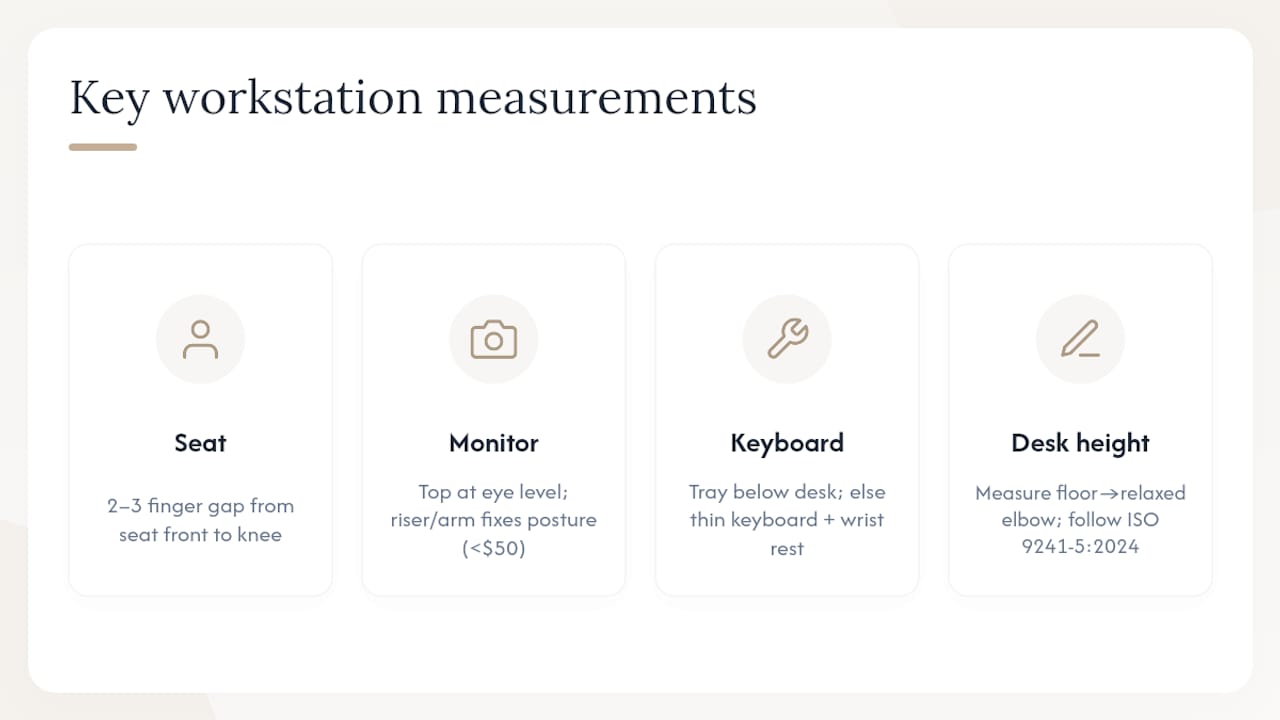
Monitor: A monitor that is too low is one of the most common drivers of forward head posture in home offices. A monitor arm or a solid riser block solves this for under $50. For dual-monitor setups, center the primary screen and angle the secondary screen at roughly 30 degrees to the side.
Keyboard and mouse: A keyboard tray mounted below desk height is often the fastest fix for wrist extension. If a tray is not possible, a thinner keyboard and a mouse pad with a wrist rest can approximate neutral wrist position.
Laptop users: A laptop used flat on a desk forces you to look down and round your shoulders simultaneously. An external keyboard and mouse paired with a laptop stand or monitor riser resolves both problems at once.
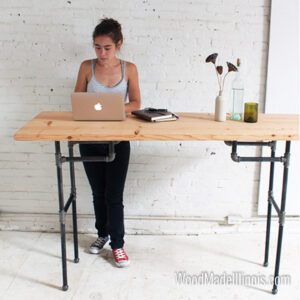
Pro Tip: Before a carpenter builds or modifies a desk surface, have the user sit in their actual chair and measure the height from the floor to their relaxed elbow. That measurement, not a standard desk height of 29–30 inches, should set the work surface. A custom desk built to the user’s elbow height eliminates the most common source of shoulder and wrist strain from the first day of use.
What research shows about movement, active seating, and sit-stand desks
Static posture, even a good one, accumulates load over time. Movement variation is the antidote, and the research on how to introduce it is more nuanced than most office-ergonomics guides acknowledge.
Active sitting: Stability balls and active chairs increase energy expenditure and reduce sedentary time compared to standard chairs. A Georgia Southern study on active sitting found that active sitting had minimal negative effects on workplace reading performance but may slightly reduce typing productivity—typing speeds may be about 10% lower on some active chairs compared to standard chairs in short tests. For fine-motor, precision-typing work, a well-adjusted standard chair with lumbar support may outperform an active seat during focused sessions.
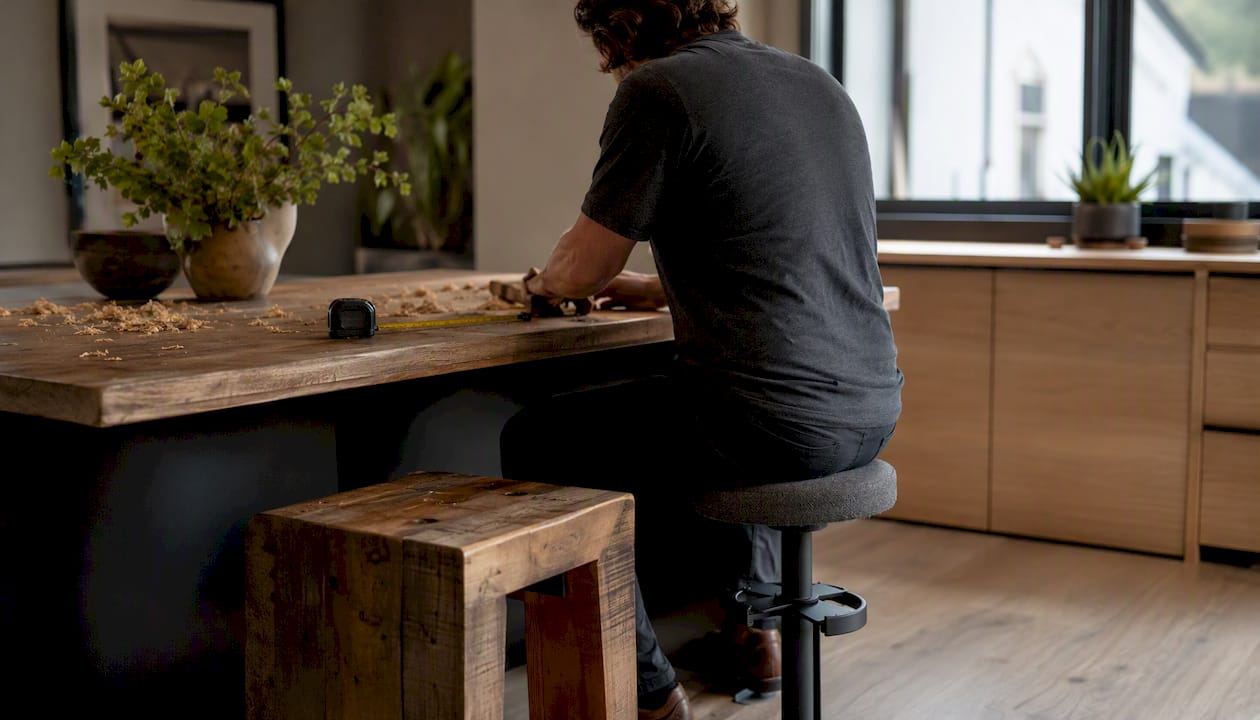
Perching: A biomechanics study from Ohio State’s Spine Research Institute found that perching produced more movement than sitting and lower anterior/posterior spinal shear than standing. A perch stool at a slightly elevated surface offers a practical middle ground, especially for tasks that alternate between seated and standing work.
Sit-stand desks: The evidence supports alternating between sitting and standing rather than standing all day. Prolonged standing carries its own risks, including lower-limb fatigue and varicose vein formation. Some longitudinal classroom research has suggested active workstations can support executive function over time, though those findings come from student populations and should not be directly extrapolated to all office workers.
A practical daily cadence:
- Sit for 25–30 minutes with good lumbar support.
- Stand or perch for 10–15 minutes.
- Take a 2-minute movement break (walk to a printer, do shoulder rolls, step outside briefly).
- Repeat the cycle throughout the workday.
- Reserve active seating for lower-precision tasks like reading, calls, or brainstorming rather than extended typing sessions.
Why environmental and psychosocial factors can override good posture
A well-adjusted chair in a poorly designed job is still a problem. StatPearls’ ergonomics review is direct on this point: effective workspace design must address job demands, worker capabilities, and the environment together. Ergonomics that focuses only on physical posture while ignoring workload, interruptions, and psychological stress tends to produce partial results.
High job demands push workers to rush, skip breaks, and hold tense postures under deadline pressure. Inadequate lighting causes forward lean toward screens. Frequent interruptions prevent the micro-recovery moments that allow muscles to release static tension. All of these factors interact with the physical setup.
The seat comfort and psychological flow study illustrates the mechanism clearly: seating that supports the body well enough to allow concentration is a prerequisite for flow, but flow also requires a task environment free from excessive interruption. Seat comfort and job design work together, not independently.
One manager-focused action: Implement participatory ergonomics, meaning involve workers in identifying their own discomfort triggers and in selecting solutions. OSHA’s ergonomics guidance recommends this approach explicitly, noting that worker involvement improves both the quality of solutions and the likelihood that changes will be sustained.
One individual-focused action: Schedule two or three “focus blocks” per day of 60–90 minutes with notifications silenced. Fewer interruptions mean fewer tension-holding moments and a better chance of reaching the sustained concentration that good seating supports.
A practical audit and implementation plan with realistic costs
Use this sequence to prioritize changes without overspending.
Immediate fixes (this week, under $50):
- Adjust chair height, seat depth, and lumbar support to match your measurements.
- Raise your monitor using a riser block, a stack of books, or a monitor arm.
- Reposition your keyboard and mouse to keep wrists neutral.
- Clear your desk surface of items you reach for less than once per hour.
- Set a recurring 25-minute timer as a movement prompt.
Short-term adjustments (1–4 weeks, $50–$600):
- Replace a non-adjustable chair with an ergonomic model that offers lumbar support, adjustable armrests, and seat depth control. Mid-range options from brands like Entry-level task chairs typically fall in the $200–$600 range.
- Add a keyboard tray ($40–$120) if your desk surface is too high for neutral wrist position.
- Purchase a monitor arm ($30–$80) for precise height and depth adjustment.
Longer-term projects (more than one month, $300 and up):
- A height-adjustable sit-stand desk, either electric or manual, typically runs $300–$1,200 depending on size and mechanism quality.
- Custom-built desks, integrated monitor risers, cable routing, and built-in storage are project-dependent. A consultation with a carpenter is the right starting point for these.
Budget priority rule: Fix the contact points first. The seat, the keyboard surface, and the monitor position are where your body meets the workstation. Getting those three right delivers more ergonomic benefit per dollar than any accessory or ambient upgrade.
For broader home-office planning that goes beyond furniture, One Day Doors & Closets offers practical room-refresh guidance that pairs well with ergonomic upgrades.
How custom carpentry solves posture problems that off-the-shelf furniture cannot
Standard desks are built to average dimensions, typically 29–30 inches tall, which suits a person of roughly 5’9" to 5’11" using a standard chair. Anyone shorter, taller, or working in an unconventional space is left to compensate with risers, footrests, and workarounds that address symptoms rather than the underlying fit problem.
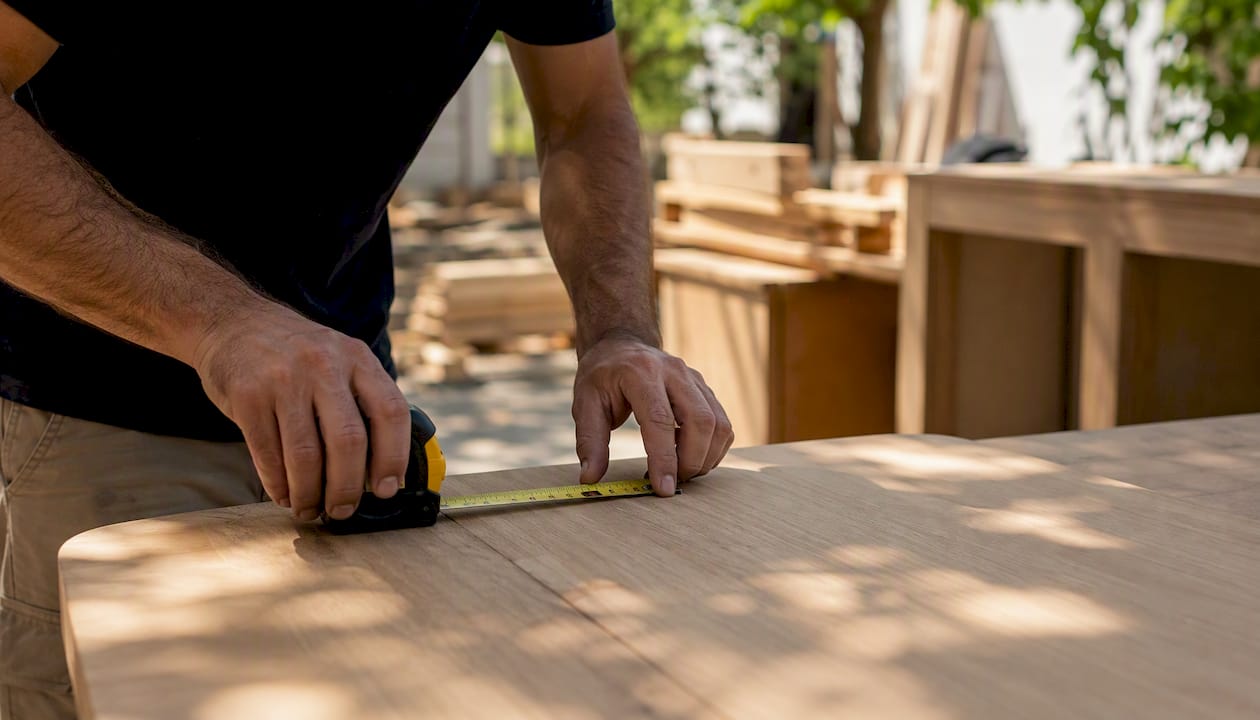
A custom-built desk resolves this at the source. Consider a scenario where a home-office occupant works at a corner desk that is too deep, forcing a forward lean to reach the monitor, and too tall for neutral wrist position. A bespoke solution addresses all three dimensions simultaneously: desk height set to the user’s elbow measurement, a built-in monitor riser at the correct height for that user’s eye level, integrated cable routing to eliminate the floor-level tangle that causes awkward reaches, and a shallow upper shelf for reference materials that would otherwise sit on the work surface and crowd the keyboard.
A typical small project timeline with Woodmadeillinois:
- Site visit and measurement: 1–2 hours on-site to document the space, the user’s dimensions, and the workflow.
- Design and material selection: 3–7 days, including material sourcing and client review.
- Build: 1–2 weeks for a custom desk or integrated office unit, depending on complexity.
- Installation: Typically one day for a single-room installation.
Before your consultation, prepare:
- Room dimensions and any fixed constraints (outlets, windows, doors).
- Your seated elbow height and preferred monitor distance.
- A list of equipment that must fit on or near the desk (monitors, docking station, printer, reference materials).
- Photos or a short video of your current setup showing the posture problems you want to solve.
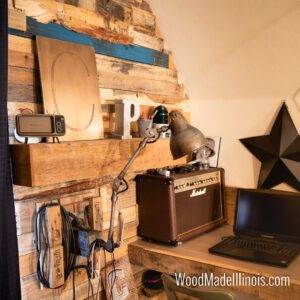
Woodmadeillinois’s small office carpentry portfolio shows how these principles translate into finished installations across a range of spaces and budgets in Central Illinois.
When to stop adjusting and get professional help
Most workstation discomfort responds to the adjustments described above within two to four weeks. Some situations call for professional assessment sooner rather than later.
Red flags that warrant a clinician’s evaluation:
- Pain that persists beyond two weeks despite workstation corrections.
- Symptoms that spread, such as neck pain that radiates into the arm or shoulder.
- Nighttime pain or pain that wakes you from sleep.
- Numbness, tingling, or weakness in the hands, arms, or legs.
- Symptoms that limit your ability to perform basic work tasks.
What to bring to an ergonomist or clinician:
- A written job description or a list of your primary tasks and their duration.
- Photos or a short video of your workstation from the side and front.
- A symptom log noting when discomfort starts, what makes it better or worse, and whether it persists after work.
What to bring to a carpenter:
- Room measurements and any fixed architectural constraints.
- Your seated elbow height and monitor distance preference.
- Material preferences and any clearance requirements (knee clearance depth, drawer placement).
A professional ergonomics assessment typically involves a structured workstation observation, a task analysis, and a written report with prioritized recommendations. NIOSH’s ergonomics program guidance recommends that organizations treat this as an engineering problem first, meaning the goal is to redesign the work environment, not simply to train workers to tolerate a poor one.
A carpenter’s perspective on posture and workspace design
The most common mistake people make with ergonomics is treating it as a product category rather than a design problem. They buy an expensive chair, place it at a desk that is still the wrong height, and wonder why their back still hurts after a month. The chair is the “skin” of the workstation; the underlying structure, the desk height, the monitor position, the reach distances, is the “bones.” Getting the bones right first is what makes every other adjustment work.
Posture-driven workspace design is a marathon, not a sprint. The adjustments in this guide are the starting line. For persistent issues or spaces that simply cannot be made to fit with off-the-shelf furniture, a custom carpentry solution is not a luxury. It is the most direct path to a workspace that supports the body correctly from day one, rather than one that requires constant compensation.
Woodmadeillinois builds workspaces that fit you from the first day
Custom ergonomic carpentry is not about aesthetics alone. It is about building a desk, a monitor riser, a cable-routing system, and integrated storage to the exact dimensions your body and workflow require, so you stop compensating for furniture that was never designed for you specifically.
Woodmadeillinois serves homeowners and small businesses across Central Illinois with custom desk builds, sit-stand desk installations, built-in storage that eliminates awkward reaches, and full home-office renovations. Projects typically move from site visit to installation in two to four weeks. To see what a posture-driven custom build looks like in practice, browse the small office carpentry examples or review the custom carpentry project ideas to get a sense of scope and budget. When you are ready to discuss your space, request a consultation with the trusted local carpentry experts at Woodmadeillinois to get started.
Sources
- Ergonomics – Overview | Occupational Safety and Health Administration
- Ergonomics – StatPearls – NCBI Bookshelf
- Research indicates that office ergonomics training alone often fails to produce statistically significant health or productivity improvements.
- The seat of happiness? The effect of seat comfort on the achievement of psychological flow during transactional work – PubMed
- Active sitting and productivity study (stability ball and active chairs) – Georgia Southern digital commons
- Evaluating the low back biomechanics of three different office workstations: Seated, standing, and perching
- NIOSH ergonomics program guidance – CDC
- ISO 9241-5:2024 principles for workspace ergonomics – ISO
This article is general information, not a substitute for advice from a qualified doctor. Consult a qualified healthcare professional about your own circumstances before acting on anything here.